- Call us 01444 237070

-
- Back
- Used Cameras
- Used Accessories
- Used Lenses
- Back
- Used Canon Lenses
- Used Nikon Lenses
- Used Fujifilm Lenses
- Used Sony Lenses
- Used Micro 4/3rds Lenses
- Used Leica Lenses
- Used Panasonic Lenses
- Used Pentax Lenses
- Used Samyang Lenses
- Used Sigma Lenses
- Used Tamron Lenses
- Used Tokina Lenses
- Used Voigtlander Lenses
- Used Zeiss Lenses
- Used Hasselblad Lenses
- Used Video
- Used Film Equipment
- Used Stock Alert
- Used Blank Test
- Sell or Part Exchange
- Used Clearance
- Recently Added Used Equipment
- Park Picks
- Faulty
- Trade-In
- Blog
- New in
- Call us
- Contact us
- Stores
- Sign in
- Categories
- Tips & Inspiration
- Reviews
- News
- Events
- Features
- Buying Guides
- Competitions
DJI Osmo Mobile 8P Review and Kit Comparison
The DJI Osmo Mobile 8P improves on the previous generation 7P gimbal with new tracking options, expanded control and enhanced camera movement. DJI has released three different OM 8P kit options, each with different accessories that change how the gimbal can be used by mobile phone content creators, vloggers and moviemakers.
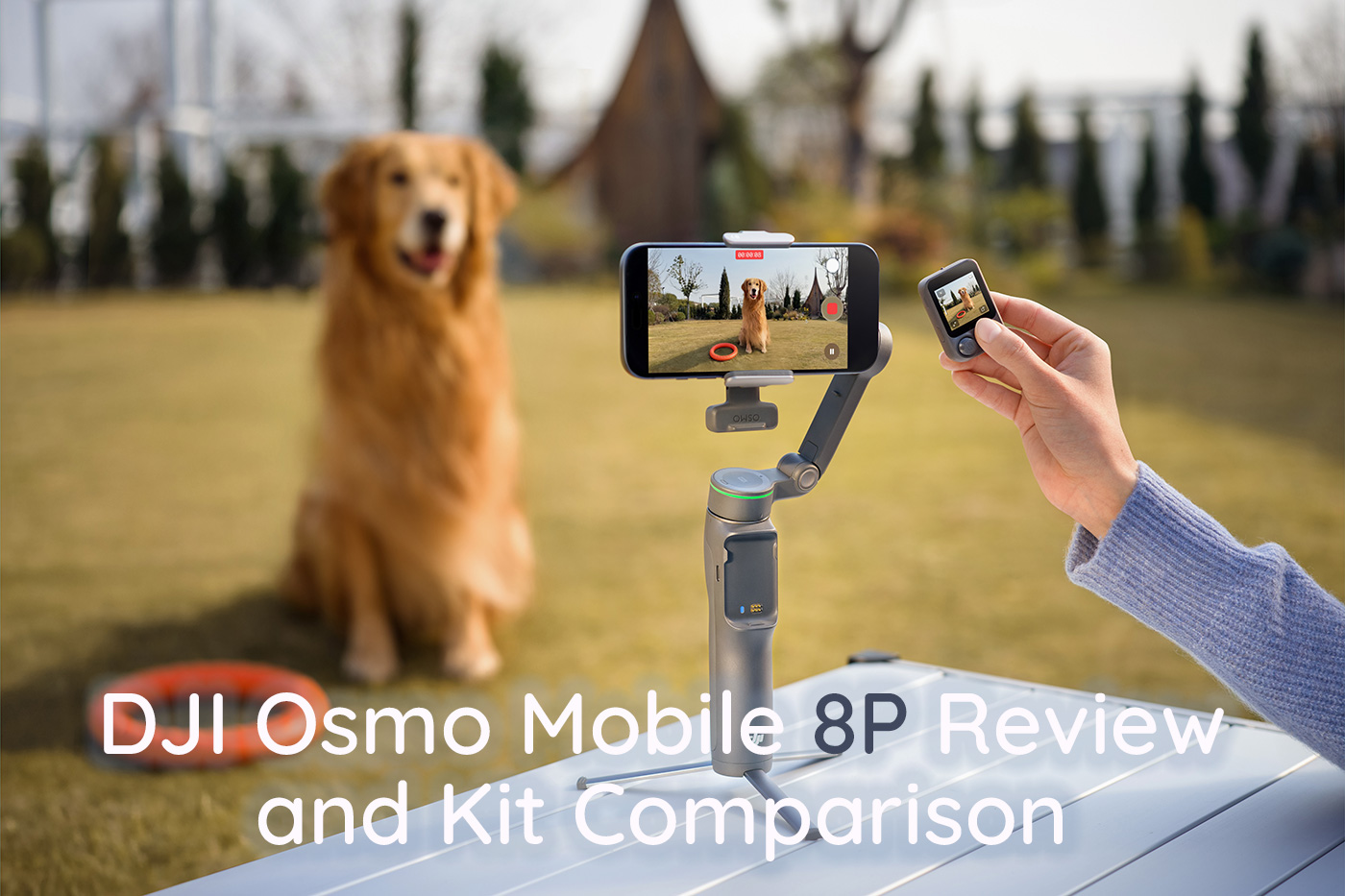
This DJI Osmo Mobile 8P Review and Kit Comparison will help you choose between the Standard, Advanced Tracking and Creator Combo, with a deep dive into what’s the same, the differences and how each kit works for the type of content you create.
We also compare the entire current Osmo Mobile range to help you decide which fits your workflow.
So let’s begin with when it launched and the price you can expect to pay in the UK.
DJI Osmo Mobile 8P release date and price
Three versions of the DJI Osmo Mobile 8P were released on 7th May 2026. The price for these is as follows:
- Osmo Mobile 8P Advanced Tracking Combo: £169.00
- Osmo Mobile 8P Creator Combo: £195.00
- Osmo Mobile 8P Standard Combo: £135.00
DJI has bundled additional accessories into the higher-end combos, creating a more complete starting point without the need to purchase anything else.
Next, we explore what’s included in each kit to help differentiate between them.
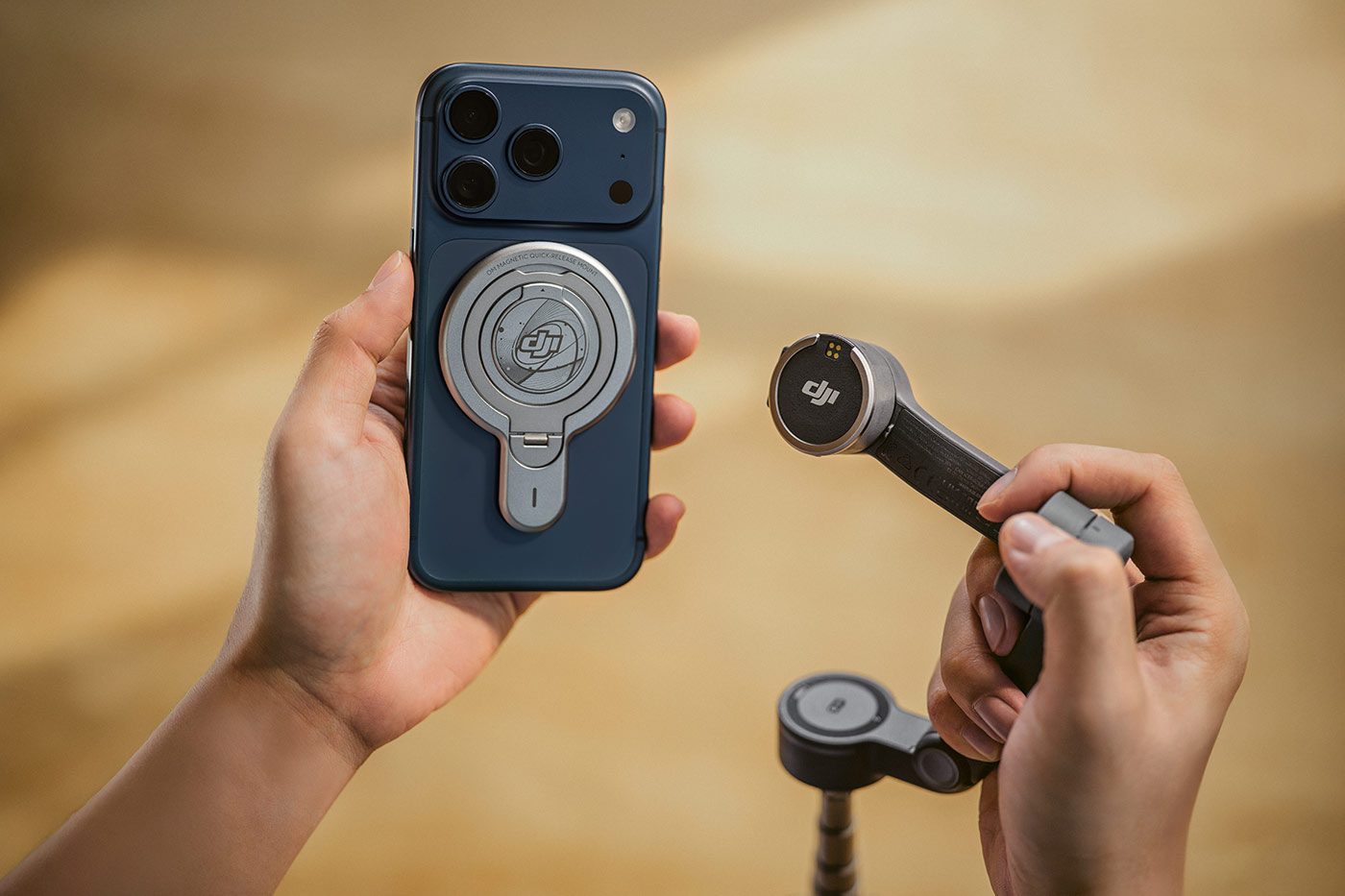
Osmo Mobile 8P Combo Comparison
All three Osmo Mobile 8P combos share the same gimbal and core stabilisation features. They also all include the same built-in tripod and extension rod, which can be used independently of any accessories. The Multifunctional Module 2 adds tracking and lighting functions but does not affect physical support or stability.
The differences come from the accessories included, which affect tracking capability, lighting and audio recording, with the newly released DJI Mic Mini 2 included in the Creator combo.
|
Item |
|||
|
Osmo Mobile 8P |
✓ |
✓ |
✓ |
|
DJI OM Magnetic Phone Clamp 5 |
✓ |
✓ |
✓ |
|
Osmo FrameTap |
✓ |
✓ |
✓ |
|
DJI OM Multifunctional Module 2 |
– |
✓ |
✓ |
|
Built-in Fill Light (via Module 2) |
– |
✓ |
✓ |
|
Object Tracking (via Module 2) |
– |
✓ |
✓ |
|
Power Cable (USB-C to USB-C, 50 cm) |
✓ |
✓ |
✓ |
|
Phone Charging Cable (USB-C to USB-C, 15 cm) |
✓ |
✓ |
✓ |
|
Storage Pouch |
✓ |
✓ |
✓ |
|
DJI Mic Series Mobile Receiver |
– |
– |
✓ |
|
DJI Mic Mini 2 Transmitter |
– |
– |
✓ |
|
Windscreen |
– |
– |
✓ |
|
Magnetic Clip |
– |
– |
✓ |
|
Magnetic Front Covers |
– |
– |
✓ |
|
Charging Cable (Mic Transmitter) |
– |
– |
✓ |
|
Mic Carrying Pouch |
– |
– |
✓ |
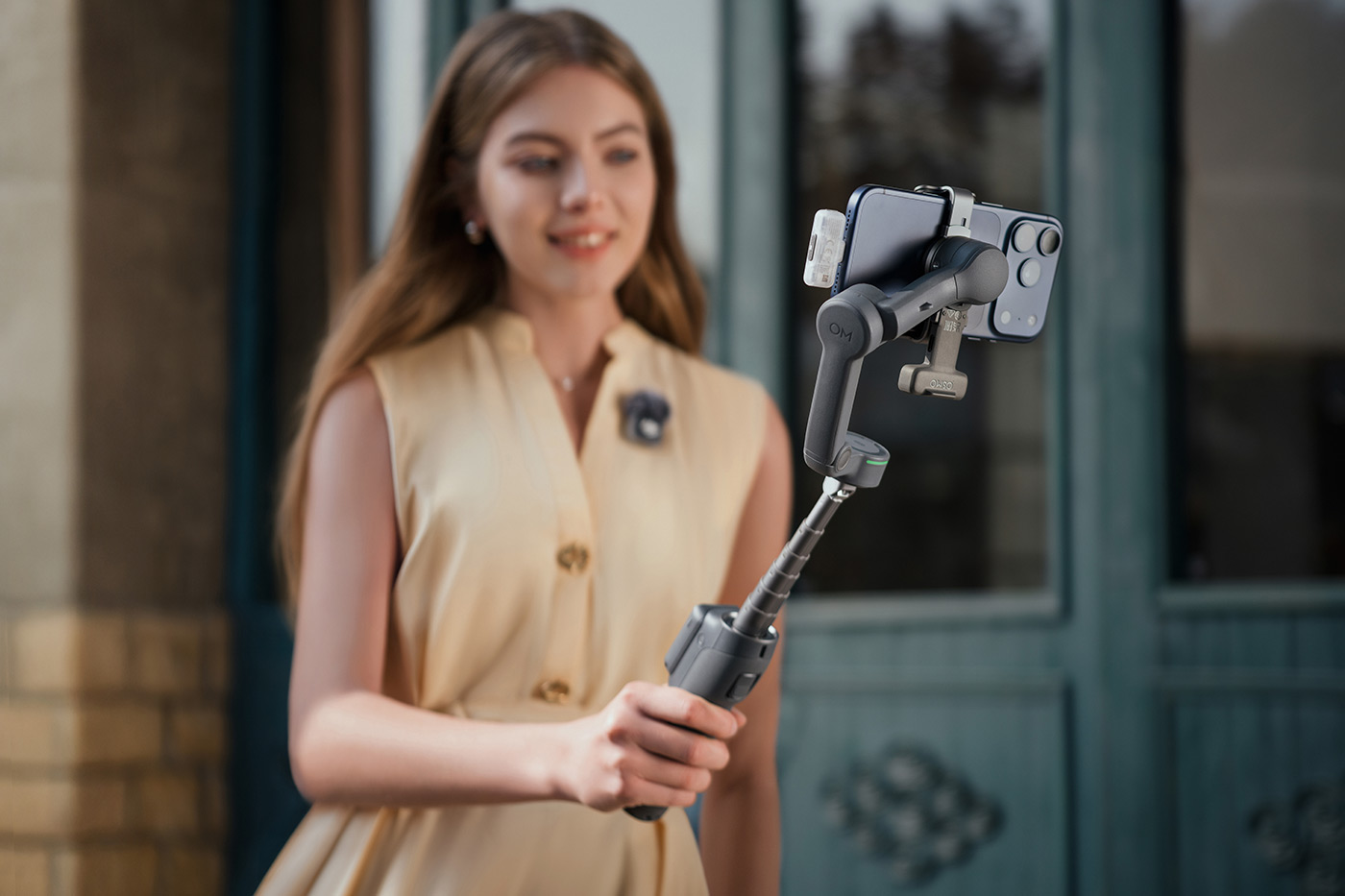
Vlogging with DJI Osmo Mobile 8P Creator Combo which includes Mic Mini 2
The Standard Combo will cater to most users’ needs, and the DJI Osmo Mobile gimbal is well known for helping users capture professional-looking stabilised video content straight out of the box.
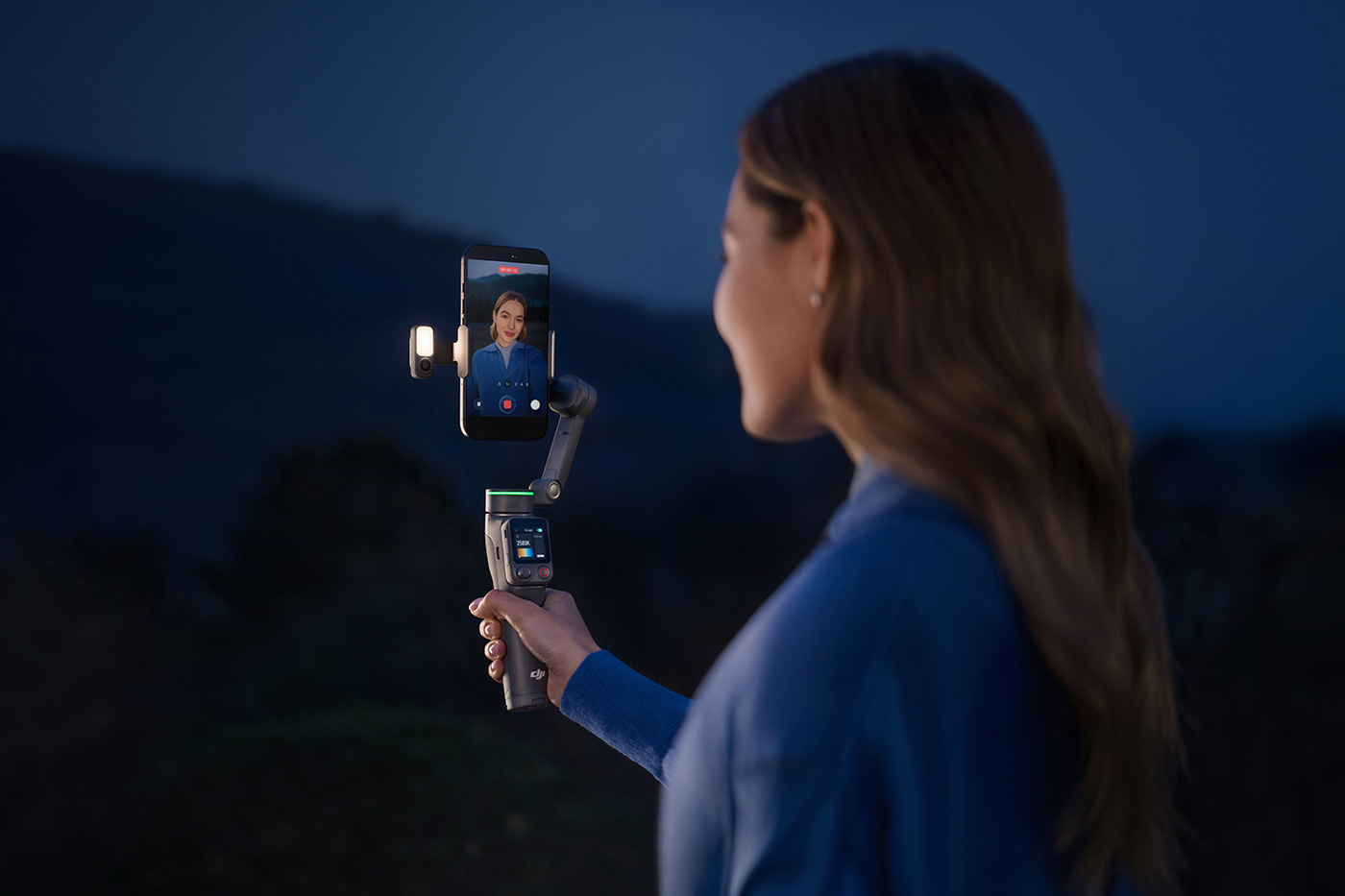
The Advanced Tracking Combo adds the Multifunctional Module 2. This features AI to reduce reliance on smartphone performance and smoothly tracks people, cats, dogs, vehicles or selected objects once defined. It also has a built-in fill light with adjustable brightness and colour temperature levels to light your face.
The Creator Combo includes the same tracking features as well as elements from the recently released DJI Mic Mini 2 with a mobile receiver, enabling wireless audio to be recorded directly to your smartphone.
You can of course opt for the Standard Combo and add elements later when you decide they are useful for your content, but buying the combos is more cost-effective.
Next let’s look at which content features are available to help you create killer content with this smartphone gimbal.
How does the DJI OM help create better content?
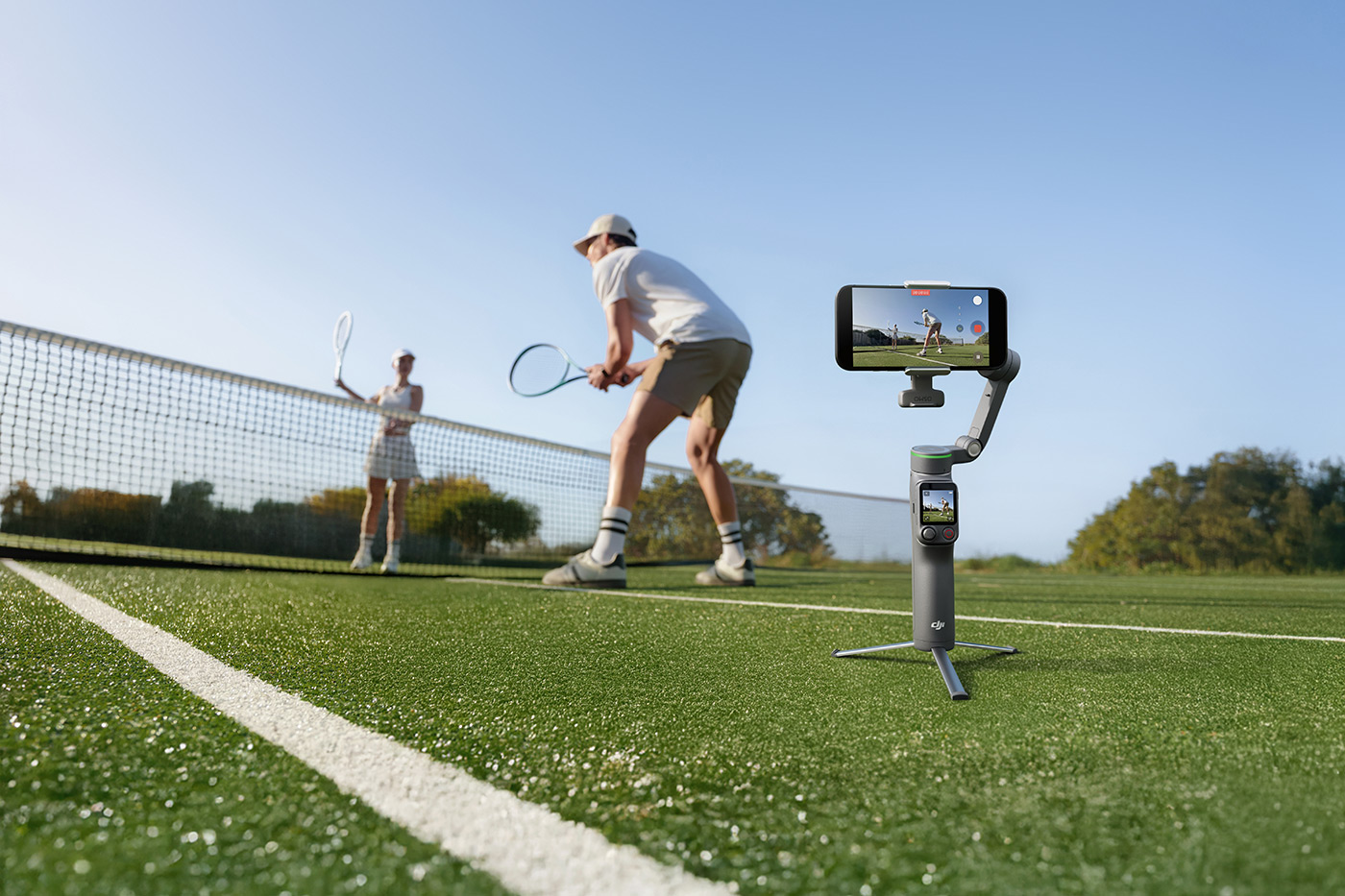
The Osmo Mobile 8P combines stabilisation and tracking, enabling more flexible shooting positions to improve how video is captured with a smartphone. It can be used handheld for much smoother footage while walking or moving, or it can be placed on its built-in tripod for static shots that track you.
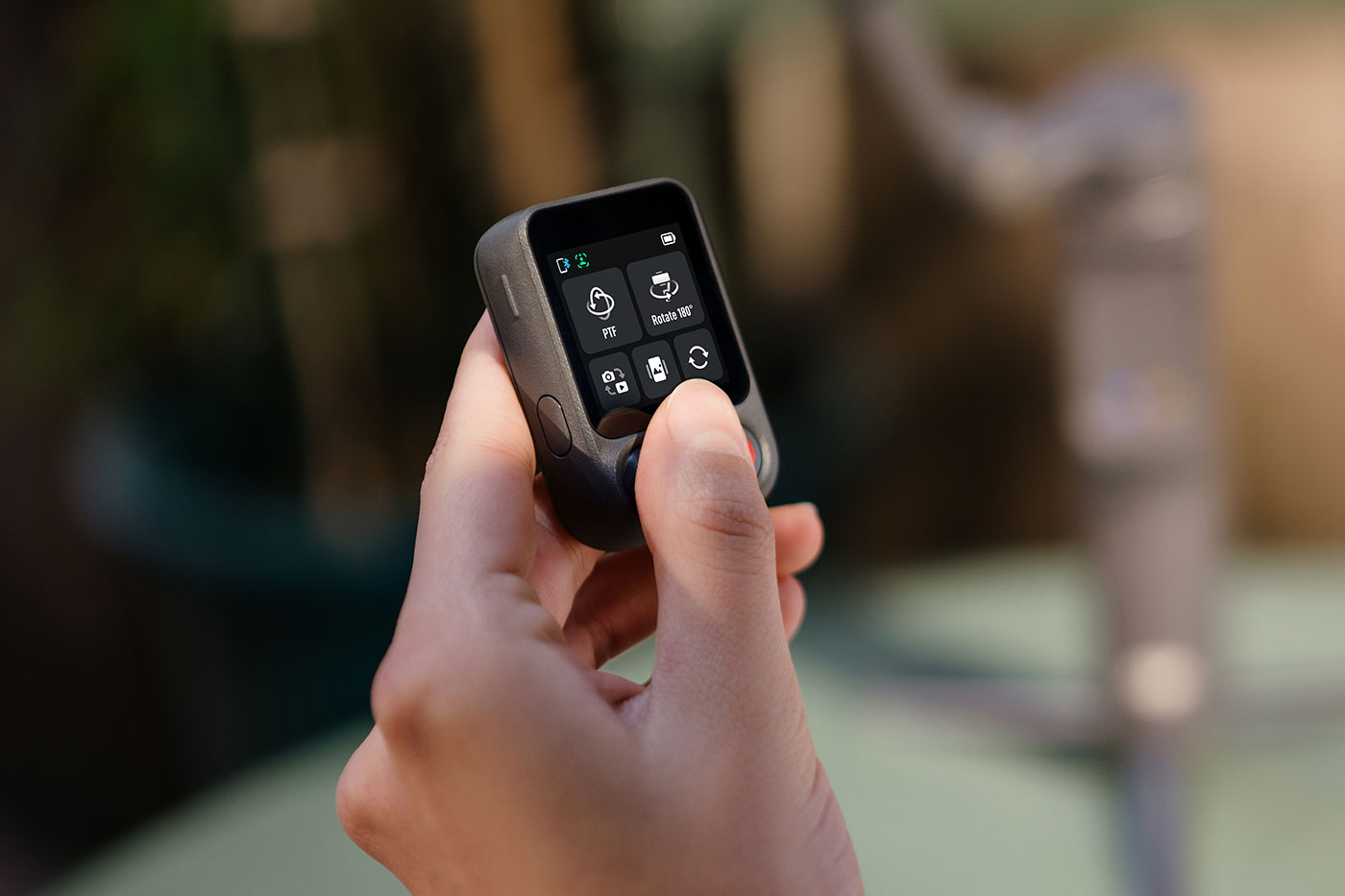
There’s even an integrated extension rod to adjust framing without repositioning the camera, which includes a detachable Osmo FrameTap remote with live view for framing and to control the gimbal.
DJI’s effective three-axis stabilisation compensates for movement across pan, tilt and roll to keep footage steady. This also supports low-angle shooting, where the camera can be positioned closer to the ground without excessive shake, so you can make more cinematic movements than you can by simply recording with your phone.
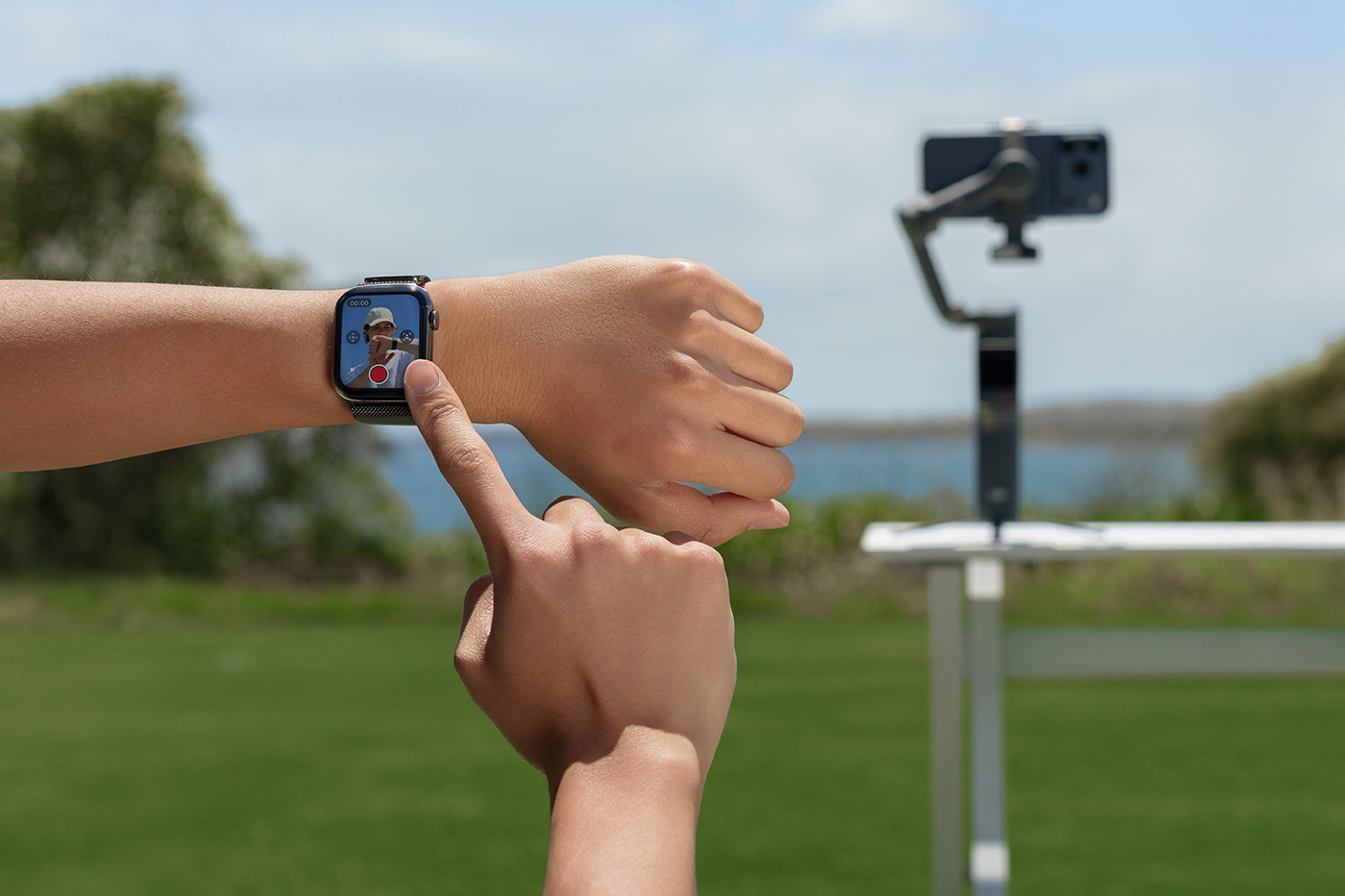
Remote control is also supported via Apple Watch, providing a secondary live view and basic shooting controls when the gimbal is positioned away from you.
There are also a variety of intelligent modes, which we explore next.
Which Osmo Mobile 8P Content modes are there?
Tracking features are available to maintain subject positioning during movement, reducing the need to constantly manually reframe your shot. This is really useful for vlogging, keeping subjects centred while filming.
Shooting modes include:
- Action Shot, which maintains framing on fast-moving subjects after selection
- DynamicZoom, which adjusts perspective during recording to create push and pull effects
- SpinShot, which provides controlled rotation through joystick input
- FPV mode follows movement across all three axes for a more dynamic look
The phone gimbal also includes other features like Gesture Control to remotely trigger the device and Composition Assist, which overlays framing guides during shooting.
Once you’ve captured content, DJI has a suite of editing features such as ShotGuides and One-Tap Editing that provide suggested shot sequences and automated edits based on each specific scene.
These all contribute to making more dynamic and effectively stabilised video content with less effort, whether vlogging, creating tutorials, reviews and so on.
What’s new compared to the DJI Osmo Mobile 7P?
The OM 7P launched in February 2025, adding features such as the Multifunctional Module. Here, we take a closer look at what’s new in the latest generation.
- A new Osmo FrameTap detachable remote with live view and tap-to-track control
- 360° unlimited pan rotation replacing the previous limited pan range
- Apple DockKit support enabling tracking in native and third-party apps
- Expanded subject tracking to include selected objects when using the Multifunctional Module 2
- Direct NFC phone pairing for faster connection and setup on supported devices
- Updated tripod design with a wider stance for improved stability on flat surfaces
The new Osmo FrameTap mirrors the view from your phone or the Multifunctional Module 2, allowing you to direct the shot from a distance so the composition stays clear and in your control.
The addition of Apple DockKit enhances video calls, live streaming and content creation by keeping the subject automatically framed and tracked.
These additional features add quality-of-life improvements, speeding up your workflow and ease of use. How does Osmo Mobile 8P compare with the wider Osmo Mobile phone gimbal range? We find out next.
Osmo FrameTap
Osmo Mobile range comparison
With several versions available, it can be confusing if you’re considering models from the whole DJI Osmo Mobile range. The main differences are tracking options, control methods and the actual gimbal design. This comparison table shows how Osmo Mobile 8P expands on earlier models to help you decide between them.
|
|
Osmo Mobile 8P |
Osmo Mobile 8 |
Osmo Mobile 7P |
Osmo Mobile 7 |
|
Osmo FrameTap |
Included |
N/A |
N/A |
N/A |
|
Mirroring / Live View |
Phone screen mirroring and FrameTap / Apple Watch live view [13] |
Apple Watch live view [13] |
Apple Watch live view [13] |
Apple Watch live view [13] |
|
Apple DockKit |
Supported [4] |
Supported [4] |
N/A |
N/A |
|
Gimbal Weight [14] |
Approx. 386 g |
Approx. 370 g |
Approx. 368 g |
Approx. 300 g |
|
Built-in Extension Rod |
Max extension length 215 mm |
Max extension length 215 mm |
Max extension length 215 mm |
N/A |
|
Built-in Tripod |
Split design, 97 mm radius |
Integrated design, 77 mm radius |
Integrated design, 77 mm radius |
Integrated design, 77 mm radius |
|
Operating Time |
Approx. 10 hours [5] |
Approx. 10 hours [15] |
Approx. 10 hours [15] |
Approx. 10 hours [15] |
|
Pan Rotation |
360° unlimited |
360° unlimited |
-109° to 222° |
-109° to 222° |
|
Tracking Module |
Multifunctional Module and Module 2 |
Multifunctional Module |
Multifunctional Module |
Multifunctional Module |
|
ActiveTrack [2] |
ActiveTrack 8.0 |
ActiveTrack 8.0 |
ActiveTrack 8.0 |
ActiveTrack 8.0 |
|
ShotGuides / AI Editor |
Supported |
Supported |
Supported |
Supported |
The Osmo FrameTap provides a remote live view with subject selection, while Apple DockKit allows tracking in compatible native and third-party apps, including with a compatible Apple Watch. When combined with unlimited 360° pan rotation, this enables more flexible camera movement and tracking in situations where earlier models were limited by range or app dependency.
Osmo Mobile 7P and Osmo Mobile 7 still provide stabilisation and tracking through ActiveTrack 8.0, but rely on a more limited pan range and do not support DockKit. Osmo Mobile 8 adds unlimited rotation and DockKit support, but does not include the remote control system featured in OM 8P.

Which Osmo Mobile 8P Combo should you buy?
Who is the Standard Combo best for?
The Standard Combo provides stabilised video and subject tracking without additional accessories. It works perfectly as a handheld phone gimbal, or for selfie recording and general content creation, thanks to the built-in tripod, extension rod and Osmo FrameTap, which makes remote content creation even easier.
Who is the Advanced Tracking Combo for?
The Advanced Tracking Combo is suitable for content creators who need more flexibility when capturing subjects other than people. The included Multifunctional Module 2 enables tracking of various animals, vehicles and user-selected objects, and includes an adjustable fill light for illumination, which is beneficial for low-light scenes.
Why pick the Creator Combo?
The Creator Combo is the best choice for creators who want stabilised video and direct audio capture. It includes the Multifunctional Module 2 and the DJI Mic Mini 2, allowing audio to be recorded directly to a smartphone. This is better for spoken content and recording events, where video and omnidirectional sound need to be captured at the same time.
The DJI Osmo Mobile 8P builds on the successes of previous generations, refining the gimbal’s quite extensive feature list for content creators and everyday users who simply want better stabilised video than a phone captures.
You can use it with most phones, and DJI has incorporated Apple DockKit in this generation to support tracking in native and third-party apps.
The new removable FrameTap makes the process easier than ever, and the tripod is more stable than ever, so you can capture tracked video of you, your family and friends, animals, vehicles and even selected objects with the optional DJI OM Multifunctional Module 2.
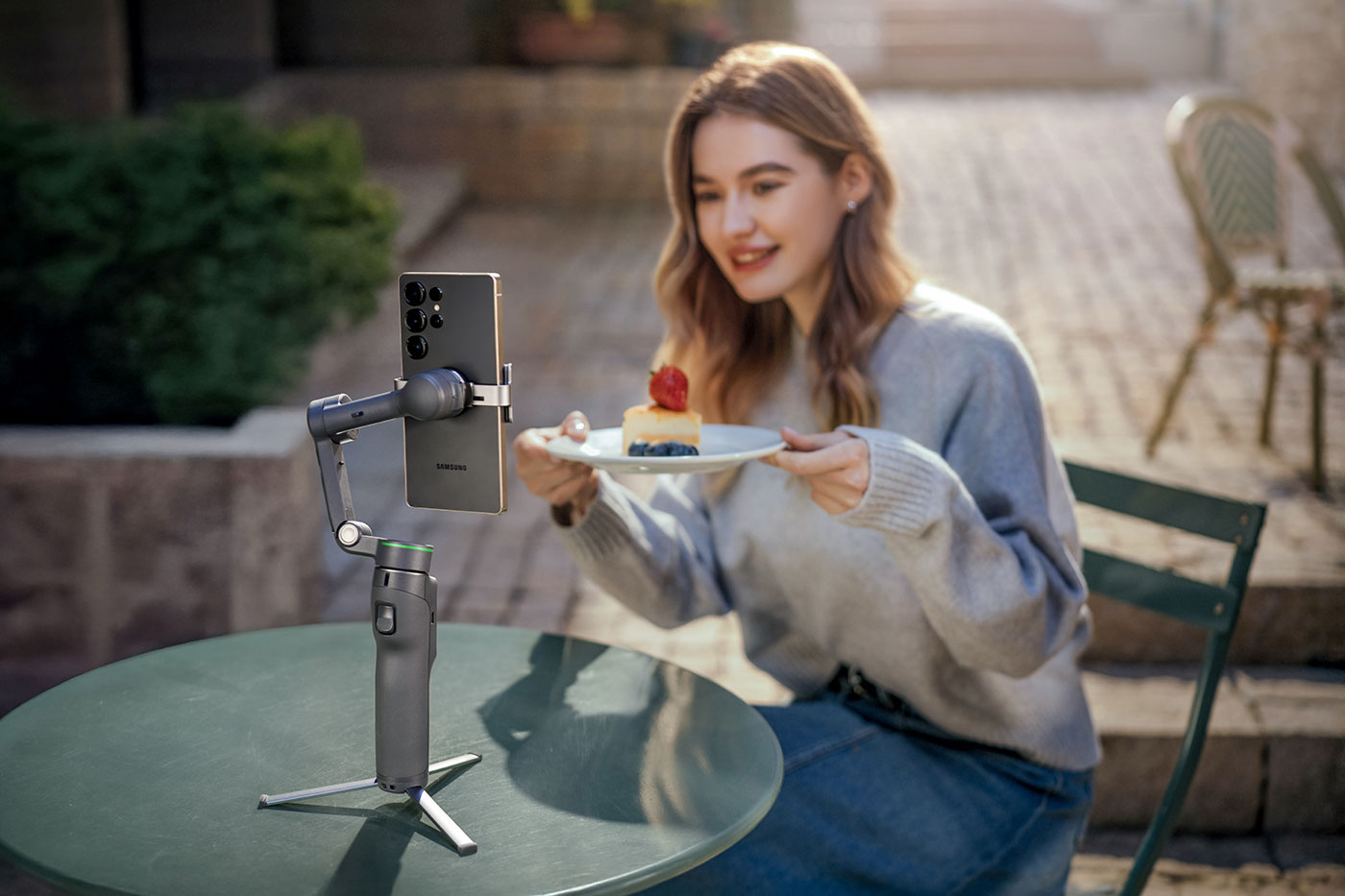
Choosing between the combos is easy depending on what type of content you’re most likely to capture, and you can add accessories after the fact to enhance your setup.
Choose the Standard Combo for great stabilisation and tracking when making everyday videos, the Advanced Tracking Combo for object tracking and fill lighting, or the Creator Combo for the most comprehensive setup, suited to enthusiasts and professional creators.
Share this post:
By Nick Dautlich on 07/05/2026

Nick Dautlich
Senior Content Writer and Product Reviewer
Nick Dautlich is the Senior Content Writer and Product Reviewer at Park Cameras, with over 15 years of photography experience. A Sony Imaging Professional and expert reviewer, Nick has worked with major brands such as Canon, Sony and Nikon. His work is also featured on Vanguard World UK’s website, Capture Landscapes, and Shutter Evolve. Nick’s photography includes National Trust projects and magazine covers and he is passionate about landscapes and storytelling. Nick also enjoys hiking and teaching his children about nature. Learn more on his profile page.
Trade in your old equipment
Fast and easy trade in service ensures your old gear is collected efficiently and you are paid quickly! It's very simple to trade in your unwanted photography gear. Just head over to our dedicated Sell or Part Exchange page, fill out the details, and we'll get back to you with an offer for your old gear. Take the cash, or put it towards the cost of your new gear. It's up to you! Find out more
sign up to the newsletter
Keep up to date on the latest photography news, events and offers. Sign up now